

Switching from answering service to AI sounds straightforward until you find out your contract requires 30 days written notice. Most Phoenix small business owners miss that clause entirely, and a one-week switch turns into a two-month billing overlap. This checklist walks you through the migration in the right order so you don’t pay twice or go dark.
Key Takeaways:
- Most live answering service contracts require 30 days written notice, start the cancellation process before you flip the AI on, not after.
- A call flow audit done before migration takes 2 hours and prevents roughly 80% of post-launch call-handling failures.
- The 30-day post-migration window has 3 non-negotiable metrics: call answer rate, booking conversion rate, and escalation frequency, if escalations exceed 15% of call volume, your routing logic needs fixing.
If you’re still comparing vendors before committing, the Smith.ai vs Ruby receptionist comparison covers the national options. This checklist assumes you’ve picked a direction and are ready to move. For broader context on what AI is doing for small business customer service, the full ai for customer service guide covers the strategic frame.
Before You Cancel Anything: The Call Flow Audit

A call flow audit is a structured review of every call type your business receives before you touch your current answering service contract. This means you know exactly what the AI must handle before migration begins, not after it’s already live and dropping calls.
Skipping this step is the single most common reason migrations fail. The AI goes live before anyone has defined what it’s supposed to do, and the result is mis-routed calls, frustrated callers, and a panicked rollback to the human answering service.
Here’s the audit process:
Pull 30 days of call logs from your current answering service. Most services export this as a CSV. If yours doesn’t, request it by email before you send cancellation notice, access disappears fast after you cancel.
Categorize every call type by what resolution it required. Group them into: booking or scheduling requests, FAQ or pricing questions, after-hours emergencies, complex complaints requiring judgment, and wrong numbers or spam. Count the volume in each bucket.
Assign each category to a tier. Tier 1: AI handles the call start to finish (routine bookings, hours and pricing questions, appointment confirmations). Tier 2: AI qualifies the caller, human closes (calls requiring a quote, multi-step scheduling, callbacks with specifics). Tier 3: AI captures contact info, human calls back within a defined window (complaints, legal questions, anything requiring professional judgment).
Flag mandatory Tier 2 and Tier 3 call types before you build the AI script. These are the calls that break migrations when they’re not accounted for.
Document estimated volume per tier. This becomes the routing logic spec you hand to your AI vendor.
Most owners guess before they look at actual logs that the majority of their calls require human judgment. The data says otherwise. Patterns from small business migrations show 60–70% of call volume at a typical trade or appointment-based business is Tier 1 (routine bookings and FAQs), 20–30% is Tier 2, and under 10% is complex enough to require a human every time.
Phoenix trades businesses should flag after-hours emergency calls as mandatory Tier 2 or Tier 3 before monsoon season. A caller with a flooded garage at 9pm is not a Tier 1 interaction.
How to Cancel Your Answering Service, and When to Do It

Answering service contracts require written cancellation notice, and the window is typically 30 days before the end of your billing cycle. Miss the cutoff date and you pay for another full month regardless of whether you’re using the service.
Here’s the cancellation sequence:
Locate the termination clause in your contract before you do anything else. Check for the required notice method, certified mail, email with read receipt, or a specific cancellation form. Using the wrong method resets the clock.
Identify your billing cycle cutoff date. Count 30 days back from that date. That’s the last day you can send notice and avoid an extra billing cycle. Mark it in your calendar now.
Request a full call log export on the same day you send notice. Access to historical call data is often revoked when the account closes. You need that data for your call flow audit and for any future AI script refinements.
Send cancellation notice on Day 1 of your AI setup process, not after go-live. Both tracks run in parallel. You’re building the AI while the 30-day notice period counts down.
Check for an auto-renewal clause. Some services auto-renew annually on a date buried in the contract. If you’re past the renewal window, you may owe the full annual term. Verify this before you send notice.
Set three dates on your calendar: Notice Date, AI Go-Live Date, and Service Termination Date. Leave a 7-day window where both services run simultaneously before termination. That overlap is your QA buffer.
A 7-day parallel run costs roughly one to two weeks of your old service’s monthly rate. That’s the price of catching a routing gap before a real customer finds it for you.
For businesses evaluating automated phone answering for small business at scale, the vendor evaluation process matters here too, your AI platform selection should be finalized before you send that cancellation notice, not after.
The Migration Phases: A Week-by-Week Transition Timeline
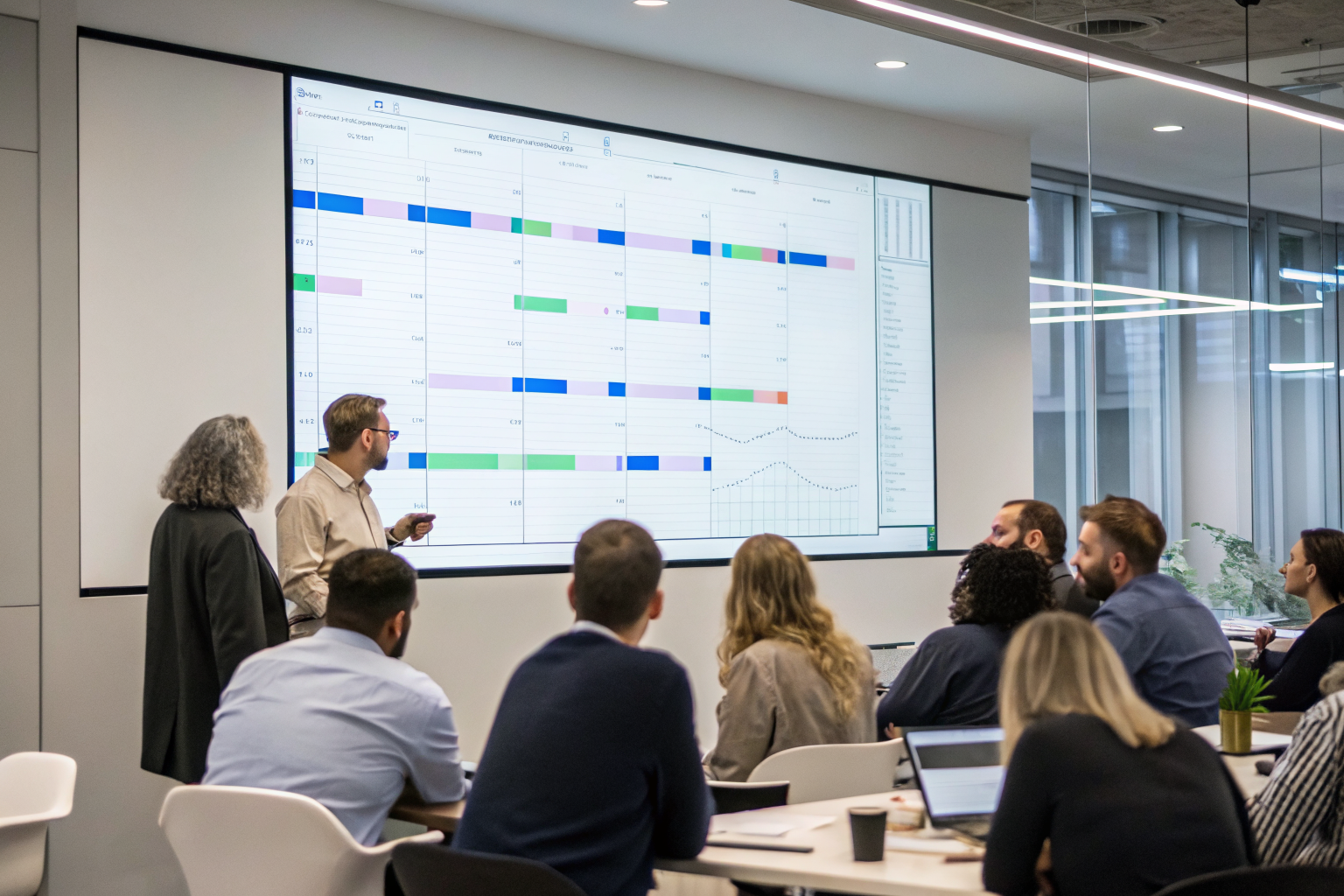
The migration timeline structures the switch across four phases, from audit to full AI operation. Each phase has a gate, a condition that must be true before you move forward. Don’t skip gates.
| Phase | Timeframe | Key Tasks | Who Does It | Gate Before Next Phase |
|---|---|---|---|---|
| Phase 1: Audit & Select | Week 1–2 | Pull call logs, run call flow audit, finalize vendor evaluation, select AI receptionist software, send written cancellation notice to current answering service | Owner + AI vendor | Call flow audit complete with tier assignments; cancellation notice sent and confirmed received |
| Phase 2: Build & Configure | Week 2–3 | Build AI script from audit findings, configure call routing logic by tier, set escalation triggers, brief staff on escalation path, configure fallback (live transfer + after-hours capture) | AI vendor (owner reviews and approves scripts) | All Tier 1, 2, and 3 scripts approved by owner; escalation path tested internally with a live call |
| Phase 3: Parallel Run | Week 3–4 | Both AI and human answering service active simultaneously, test calls placed across all call types, routing gaps identified and patched, staff confirms escalation path works | Owner + staff + AI vendor | Minimum 5 business days of parallel run completed; zero unresolved routing gaps; escalation rate under 15% in test calls |
| Phase 4: Go Live Solo | Week 4+ | Human answering service terminated on schedule, AI live as sole answering system, 30-day monitoring window begins, metrics tracked weekly | Owner monitors; AI vendor on standby | All three primary metrics (answer rate, conversion rate, escalation rate) hit target thresholds at Day 30 |
The parallel run phase deserves emphasis. Five business days is the minimum, not a suggestion. That window captures a full week of call patterns including Monday morning surges and end-of-week volume that won’t appear in a 48-hour test. A Tuesday afternoon test tells you almost nothing about what happens at 7am on a Monday after a holiday weekend.
AI receptionist software should make all of this configuration visible to you without requiring a developer. If your vendor needs an engineer to change a routing rule, that’s a problem you’ll feel at 10pm on a Friday during monsoon season when an emergency call hits the wrong tier.
For businesses in high-complexity verticals, the ai receptionist by industry breakdown covers which call types require the most escalation configuration by sector before you build your script.
How Do You Tell Your Staff and Callers About the Switch?

A staff communication plan prevents internal confusion during the live answering to AI phone system transition. Two audiences need to know what changed: your team and your regular customers. Handle them differently.
For your staff:
Tell them the escalation path before go-live, not on the day a confused caller gets transferred to them. They need to know exactly how a call gets routed to a human (the trigger phrase, the transfer method, the expected call type) so they’re not caught off guard.
Give them a one-sentence answer for callers who complain about the AI. Something like: “Our new system handles routine calls so we can focus on the work, if you need a person, just say ‘talk to someone’ and it transfers immediately.” Keep it simple.
Frame the AI’s role correctly for your team. The AI handles Tier 1 calls so your staff can focus on the job in front of them. It’s not replacing anyone’s judgment on complex calls. That framing matters for buy-in.
For your regular customers:
Most callers don’t need a proactive heads-up. The AI introduces itself in the first line of the call. Callers who’ve reached your voicemail for years will find a live AI greeting an improvement, not a complaint.
For trades businesses with loyal repeat customers, send a brief SMS or email before go-live. Something like: “We’ve set up a new answering system so you’ll reach us 24/7. If you ever want a person, just ask.” This prevents churn from longtime clients who expect a familiar voice.
Write the AI’s greeting to acknowledge it’s AI, not pretend otherwise. The top objection across small business owner communities is the robotic voice problem. Callers who reach a human quickly after AI intake report satisfaction rates comparable to full-service answering, per feedback patterns across r/smallbusiness and r/sales threads. The formula is: AI handles the intake, human handles anything the AI can’t. For law firms specifically, that hand-off architecture is essential, the ai receptionist for law firms approach covers why the escalation model matters more in regulated verticals.
Setting Up Your Fallback: What the AI Should Escalate (and How)

A hybrid escalation setup routes edge-case calls to a human before the caller hangs up. This is not a backup plan for when the AI fails. It’s a designed feature of every well-configured AI answering service.
The escalation triggers your AI script must include: the caller says a word like “emergency” or “urgent,” the caller expresses frustration or raises their voice, the call type falls outside the configured script (a question the AI wasn’t built to answer), or the caller asks to speak with a person. Any of these should route the call immediately, not after two more scripted exchanges.
Two escalation modes need to be configured before go-live. First: live transfer to your cell or a designated staff line during business hours. The caller hears “Let me connect you with someone now” and the call transfers in under five seconds. Second: after-hours capture with a guaranteed callback window. The AI takes the caller’s name, number, and a brief description of the need, then commits to a specific callback time (“Someone will call you back by 8am tomorrow”). Vague callbacks lose callers. Specific ones keep them.
Test the fallback path yourself before your first real customer reaches it. Place a call, trigger every escalation scenario, and confirm the transfer works. This takes 20 minutes. Skipping it is how routing gaps become customer complaints.
The hybrid model is the right architecture for businesses that get complex calls regularly. Some businesses permanently keep the AI on Tier 1 calls and route specialty calls to a human. That’s not a compromise. It’s the right design for verticals where a mishandled call carries real cost, including medical offices, legal intake, and high-ticket trades. A business text message service running alongside voice AI can also capture callers who prefer to text rather than stay on the line, which reduces abandonment in the escalation wait.
If escalations exceed 15% of total call volume in the first 30 days, the call flow audit was incomplete. The routing logic needs to be expanded to cover call types that weren’t accounted for at setup. The AI is not the problem. The script is.
The 30-Day Check: Metrics That Tell You the Migration Worked

Post-migration monitoring measures three core metrics to confirm the AI receptionist replaced the answering service successfully. Track these weekly for the first 30 days, not just at the end.
| Metric | Target Benchmark | Warning Threshold | What to Do if Warning Triggers |
|---|---|---|---|
| Call Answer Rate | 100% during and after business hours | Below 95% at any hour | Audit call routing config for gaps; check if call forwarding is set correctly for all phone lines and overflow scenarios |
| Booking Conversion Rate | Match or beat the baseline from your prior answering service within 30 days | More than 15% below prior baseline at Day 14 | Review the AI’s booking script for friction points; check if the calendar integration is confirming appointments correctly |
| Escalation Rate | Under 15% of total call volume | Above 15% at any point in the first 30 days | Re-run the call flow audit for call types showing up in escalations; expand Tier 1 script coverage for those types |
| Average Call Duration | Consistent with expected call type length (booking calls: 2–4 min; FAQ calls: under 2 min) | Calls consistently under 60 seconds across all types | Investigate for call drops or disconnects before resolution; check AI script for dead ends that terminate calls early |
| Caller Complaint Volume | Zero complaints about call handling in the first 30 days | Any direct complaint reaching staff or appearing in reviews | Identify the specific call type that generated the complaint; patch the script or escalation trigger for that type |
The success criteria at Day 30: all three primary metrics hit their targets. If they do, the migration is complete. If they don’t, the fix is almost always in the routing logic, not the AI platform itself.
The call answer rate is the most financially significant number to watch. 85% of missed calls never call back. One percentage point of missed calls at a busy Phoenix HVAC company during summer surge represents multiple lost jobs per week. That math is why the answer rate metric comes first, and why the monitoring window starts on Day 1 of solo operation, not Day 30.
For AI receptionist software that surfaces these metrics without requiring you to pull raw logs manually, confirm this reporting capability during vendor evaluation before you sign. If the platform can’t show you answer rate and escalation rate in a dashboard, you’re flying blind during the window that matters most.
Frequently Asked Questions
Can I run the AI receptionist and my old answering service at the same time during the switch?
Yes, and you should. A 5-to-7-day parallel run where both the AI and the live answering service are active lets you catch routing gaps before going fully live. The cost of that overlap is small compared to losing real customer calls because a script error wasn’t caught in testing. Cancel the live service only after the parallel run confirms the AI is handling every call type correctly.
How long does it take to switch from a live answering service to an AI receptionist?
The full migration, from call flow audit through go-live, takes roughly three to four weeks when done properly. The timeline is usually driven by the notice period in your existing answering service contract, which is typically 30 days. If you start the audit and vendor setup on the same day you send cancellation notice, both tracks run in parallel and you avoid paying double for more than a week.
What happens to calls the AI can’t handle after I cancel my answering service?
Every AI receptionist should have a configured escalation path for calls it can’t resolve: a live transfer to your cell during business hours, or an after-hours capture with a guaranteed callback window. The escalation triggers (caller says “emergency,” caller asks for a person, call type is outside the script) must be set up before go-live. If your AI platform doesn’t let you configure these triggers, that’s a vendor evaluation failure, not an AI limitation.
Don’t take our word for it. Call our AI right now at (888) 789-8030 and run through the exact interaction your customers would have. Plans start at $397/month with a 14-day trial. Let’s do this at sledgehammerintelligence.com/pricing.